
How to Make the Burning Bridges AI Video: 3 Ways
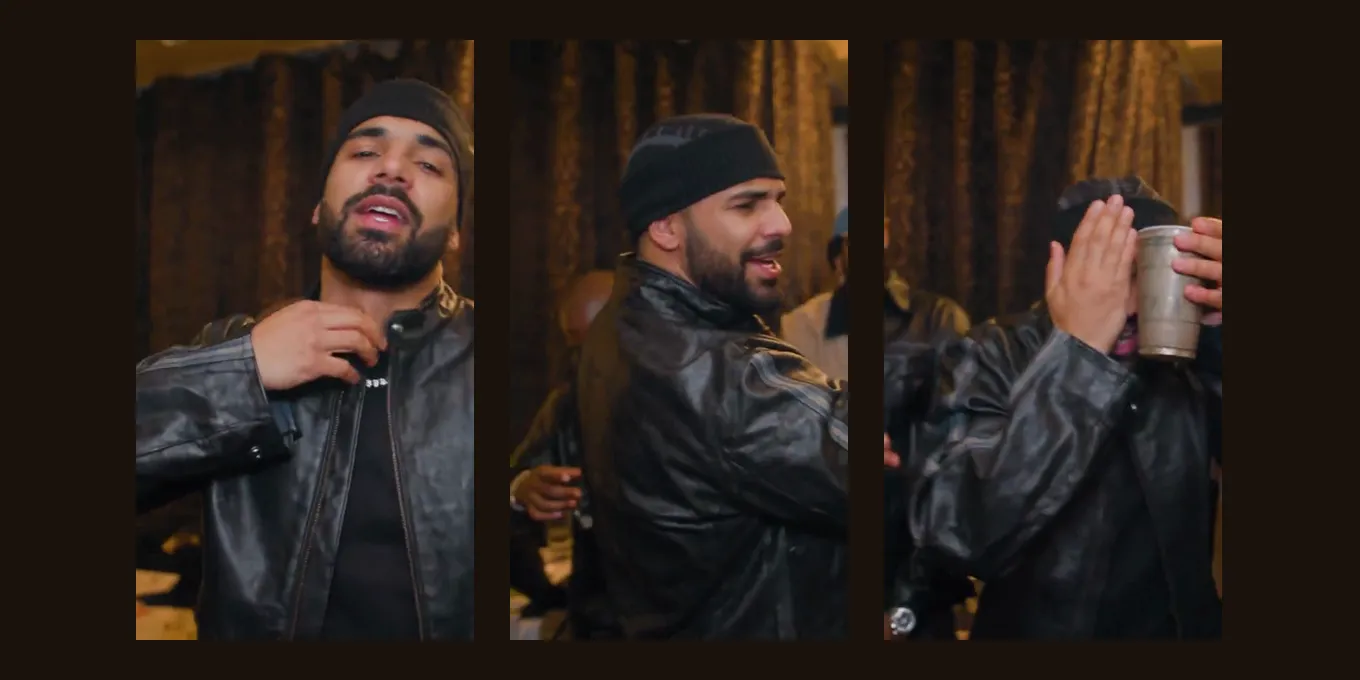
The Burning Bridges AI video puts you in the party scene of Drake’s Burning Bridges video: a crowded room under crystal chandeliers, a silver cup, a point at the guests, a wave and a flat hand over the eyes, as if asking “where she at?”. In October 2026 #burningbridgesai on TikTok has filled with people, pets and cartoon characters in that room.
There are three ways to make one. The quickest is the Burning Bridges AI effect here: one photo, 15 seconds in 9:16, the song in the MP4, 7 credits at 480p.
Updated
BURNING BRIDGES AI · HOW TO
3
Three ways to make it
- One photo
- Motion swap
- CapCut
Three ways to make the Burning Bridges AI video
| Way | What you add | How close to the scene | Sound |
|---|---|---|---|
| A one-photo effect (this site) | One photo | Re-shoots the party scene move for move | The song, in the MP4 |
| A motion swap (Higgsfield Genjutsu, Kling) | A clip of the scene, a photo, often a prompt | Follows the clip; settings and retries are up to you | Added afterwards |
| A CapCut template from a TikTok post | One photo | The template’s own edit | Usually in the template |
A creator’s own take on the Burning Bridges party scene, made with AI.by @donny539 · Watch on TikTok
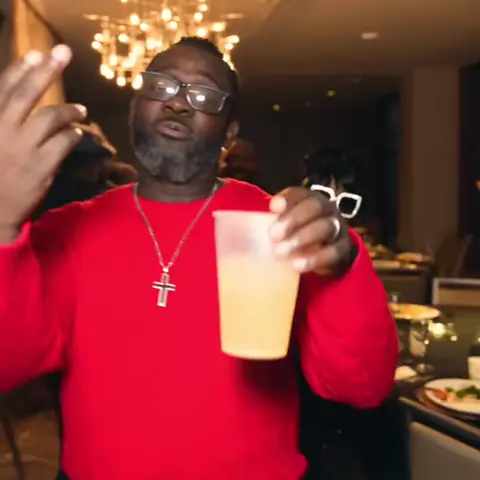
TikTok posts by other creators, shown with credit and linked to the original. Hover to play; sound starts off.
Way 1
Make it here from one photo
One photo, the party scene and the song. The button shows the credits before you create.
Your two performers
A clear, well-lit photo works best. Two photos put two people side by side.
Choose the stage
Video settings
What should they rap about?
Ready in about 3 minutes; failed generations return your credits. View pricing
Way 1: the Burning Bridges AI video from one photo
- Pick one clear photo of one person, face visible, no sunglasses. Waist up or full length works best.
- Open the Burning Bridges AI page or the generator below. Burning Bridges is already selected, on Wan 3.0, 15 seconds, 9:16.
- Tap create. The button shows the price first: 7 credits at 480p. There is no free preview.
- Wait about 5 to 15 minutes, then download the MP4. The Burning Bridges song is already in it.
What happens inside: the video model never sees the music video. It gets a fan’s live-action re-enactment of 15 seconds of the party scene with the sound off, the matching seconds of the song so your lips follow it, a full-length redraw of your photo for your body and clothes, and the photo itself for your face. The original recording goes back over the finished MP4. Until 19 October 2026 the effect used a line drawing instead, which left the mouth out of sync and changed the outfit.
Way 2: a motion swap in Higgsfield or Kling
- Trim 10 to 15 seconds of the party scene, ending after the wave.
- Open a motion-transfer or character-swap mode (Higgsfield Genjutsu, Kling’s motion control), upload the clip and your photo, and ask to swap the man in the centre and keep the room.
- Check the face at the wave and the turn to the camera, where it slips most, and retry if needed. Each retry costs credits.
- Add the song in an editor, or pick the song’s official sound when you post.
Some video models refuse a music video as input. In tests of this recipe, Wan 3.0 and Seedance both refused the music video itself, which is why our effect works from a fan’s re-enactment of the scene.
Way 3: a CapCut template
Many #burningbridgesai posts carry a CapCut label (“Try this template”). Tap it, add a photo, export. It is quick and often free to open, but it is someone else’s fixed edit, and templates come and go.
Before you post
- Use your own photo or one of a friend who agreed. TikTok does not allow AI content that falsely shows public figures in certain contexts, such as making an endorsement, or private people without their permission.
- Turn on the AI-generated label (TikTok).
- The song belongs to its rights holders; if a post is muted, pick the official sound from TikTok’s library.
- Keep it 9:16; this effect makes 9:16 only.
FAQ
What is the easiest way to make the Burning Bridges AI video?
One photo with a ready effect. On Hotel Lobby Video (rapaivideo.net) that is Burning Bridges under Effects: 15 seconds, 9:16, the song in the MP4, 7 credits at 480p.
Can I make the Burning Bridges AI video for free?
Not here: it is paid with credits. There is no free preview. A CapCut template is free to open; motion-swap apps charge their own credits.
Does it make me sing like Drake?
No. You take the moves of the party scene; nobody sings new words in Drake’s voice. The sound is the real Burning Bridges recording.
Why does my video not look like me?
Usually the photo: small, dark, side-on or with sunglasses. Use a sharp, front-facing photo of one person, waist up or full length.
When did the Burning Bridges song come out?
On 15 May 2026, on Drake’s album Iceman (Wikipedia).
Sources
Read next
How to Make the Bulin 47 AI Video: Three Ways, Step by Step
How to make the Bulin 47 AI video: the three ways people do it (a one-photo effect, motion transfer in Higgsfield, Kling or Dreamina, a CapCut edit), step by step, with the sound and the limits
Higgsfield Hotel Lobby: Genjutsu Steps, Credits and Limits
How people make the Hotel Lobby video on Higgsfield (a community preset in Genjutsu Motion Transfer), its credit costs, plans and limits, and a two-photo alternative
How to Do the AI Dance Trend: CapCut, Apps or One Photo
How to do the AI dance trend on TikTok: a CapCut dance template from a post (the free way, one fixed dance), an app effect, or a one-photo dance clip here, with the steps and how to add the trend’s sound
Hotel Lobby Video is an independent tool, not affiliated with Quavo, Takeoff, Migos, Quality Control Music, Motown or COLORS.