
How to Make the Bulin 47 AI Video: Three Ways, Step by Step
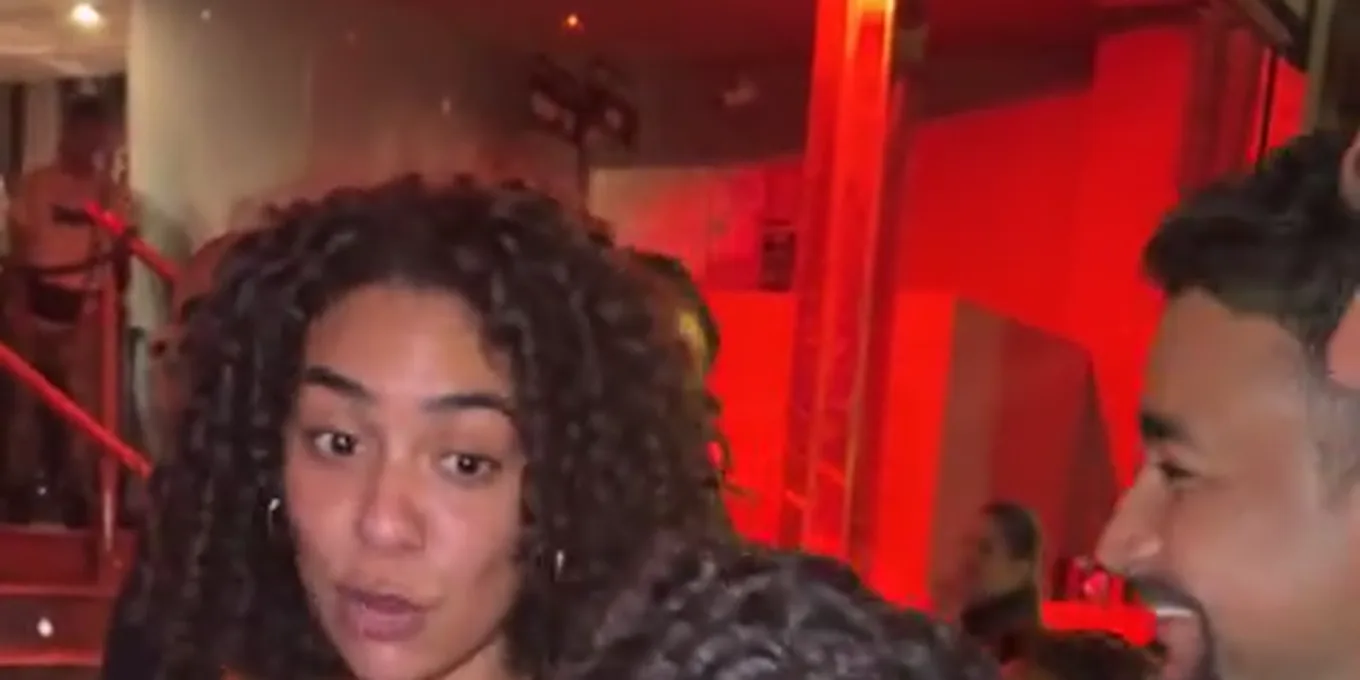
The Bulin 47 AI video puts someone new in the lead of a viral dembow freestyle: Bulin 47 rapping outside a restaurant in Spain while Kevin Wai holds up a portable speaker. Latination reports the original passed 50 million views. The AI versions swap the freestyler for a friend, a kid, a pet or a cartoon, and keep the scene.
There are three ways to make one. Below are the steps for each, what the result sounds like, and what goes wrong. The quickest is the Bulin 47 AI effect on this site: one photo, 15 seconds, the original sound kept.
Updated
BULIN 47 AI · HOW TO
3
Three ways to make it
- One photo
- Motion transfer
- CapCut
Three ways to make the Bulin 47 AI video
| Way | What you supply | How close to the original | Sound |
|---|---|---|---|
| A one-photo effect (this site) | One photo | Re-shoots the clip itself: same camera, timing and moves | The original sound, kept |
| Motion transfer (Higgsfield, Kling, Dreamina) | The original clip, a photo and often a prompt | Follows the clip you upload; settings and retries are up to you | Usually added afterwards in an editor |
| A prompt or template in an app (CapCut and others) | A photo and a description, or a ready template | An imitation of the scene from words, or a face pasted on | Picked in the app |
On 14 October 2026 we found no official Bulin 47 template from Higgsfield, Dreamina, Kling or CapCut. Third-party sites and shared presets come and go; check what an app offers before you pay for credits.
Way 1
Make your Bulin 47 AI video here
One photo, the clip and its sound. The button shows the credits before you create.
Your two performers
A clear, well-lit photo works best. Two photos put two people side by side.
Choose the stage
Video settings
What should they rap about?
Ready in about 3 minutes; failed generations return your credits. View pricing
Way 1: the Bulin 47 AI video from one photo
- Pick one sharp photo of one person or one pet, the face clear and no sunglasses. A full-length photo works best: our tests used full-length photos.
- Open the Bulin 47 AI page or the generator below. Bulin 47 is already selected under Effects, on Wan 3.0 at 480p, 15 seconds, 9:16.
- Add the photo and tap create. The button shows the price first: 7 credits for 15 seconds at 480p. There is no free preview.
- Wait about 5 to 15 minutes, then download the MP4. It already has the freestyle's sound.
What happens inside: your photo is first drawn as a full-length portrait, and the video model gets that portrait, your photo for the face, the clip without its sound and the clip’s own audio. It keeps the audio and re-shoots every frame with you in his spot. For the first seven seconds your mouth follows his lines; then the man with the speaker sings and you laugh and look at the phone, as Bulin 47 did.
Way 2: motion transfer in Higgsfield, Kling or Dreamina
- Get the clip. The original was posted on TikTok; use it only for a personal edit, and keep the creator credited.
- Trim the part you want, usually the first 10 to 15 seconds, where the freestyle starts.
- Open a motion-transfer or reference-video mode (Higgsfield Genjutsu, Kling’s motion control or a Dreamina video model), upload the clip and your photo, and describe the swap: replace the man in the pink shirt, keep the scene.
- Generate, check the face and the hands, and retry if the person changed. Each retry costs that app’s credits.
- Add the sound in CapCut or pick the Bulin 47 sound when you post, if the app rendered without it.
This way gives the most control and the most work: you choose the model, the settings and the prompt, and you fix what drifts. It suits people who already pay for one of these apps.
Way 3: a prompt or a template in CapCut
A text-to-video or image-to-video prompt can describe the scene (a red-lit entrance at night, a man with a portable speaker, someone freestyling with a shoulder move), but words cannot pin down the timing, the camera and the gestures of the real clip, so the result is a look-alike. A CapCut template that pastes a face onto the original keeps the scene but not a whole new person. Both are quick for a joke; neither re-shoots the clip.
Cómo hacer el video de Bulin 47
Many people search this in Spanish. The steps are the same in every language: one photo, the Bulin 47 effect, create, download. The Bulin 47 AI page is also in Spanish: pick Español in the language menu.
Before you post
- Only use photos of yourself and of people who agreed. Faces of footballers, celebrities or strangers are not allowed here.
- The sound belongs to its rights holders. If an app mutes the post, add the Bulin 47 sound from the app’s own library.
- Credit the original creator in your caption if you can.
- Keep it 9:16 for TikTok, Reels and Shorts; this effect makes 9:16 only.
FAQ
What is the easiest way to make the Bulin 47 AI video?
One photo with a ready effect. On Hotel Lobby Video (rapaivideo.net) that is Bulin 47 under Effects: 15 seconds, 9:16, the original sound kept, 7 credits at 480p.
Can I make the Bulin 47 AI video for free?
Not here: the Bulin 47 video is paid with credits. There is no free preview. Other apps may offer free credits; check their terms, watermark and how many retries you need.
Does Higgsfield, Dreamina, Kling or CapCut have a Bulin 47 template?
We found no official one on 14 October 2026. People use their motion-transfer or reference-video modes with the original clip, or shared presets that come and go.
Why does my Bulin 47 AI video not look like me?
Usually the photo: a small, dark, side-on or sunglasses photo gives the model little to keep. Use a sharp, front-facing, full-length photo of one person.
Can I put my dog in the Bulin 47 video?
A dog’s full-length photo worked in our test: it stood on its hind legs and gestured with its front paws. Cats have not been tested.
Sources
Read next
Higgsfield Hotel Lobby: Genjutsu Steps, Credits and Limits
How people make the Hotel Lobby video on Higgsfield (a community preset in Genjutsu Motion Transfer), its credit costs, plans and limits, and a two-photo alternative
Hotel Lobby CapCut Template: What Exists and What Works
The Hotel Lobby CapCut templates that exist on CapCut’s site, how a template works, where CapCut points for the AI version, and when a two-photo generator fits better
Hotel Lobby AI Free: What Is Really Free for the Trend
What is actually free for the Hotel Lobby AI trend, tool by tool and app by app, checked on their own pages: free credits, watermarks, limits and prices
Hotel Lobby Video is an independent tool, not affiliated with Quavo, Takeoff, Migos, Quality Control Music, Motown or COLORS.