
How to Make Your Dog Dance With AI From One Photo
To make your dog dance with AI, add one clear photo of your dog and pick the Dance effect. On Hotel Lobby Video (rapaivideo.net) it makes a 5-second 9:16 video of your dog dancing in a neon studio to an original track, for 4 credits at 720p, usually in up to about 5 minutes. It runs in a phone browser, with nothing to install. There is no free preview.
We tested it once, on 17 October 2026, with an AI-made corgi photo; the result is below. Sitting dogs, cats and a dog dancing next to its owner are not tested yet, and this page says so where it matters.
Updated
AI DOG DANCE · ONE PHOTO
1
Make your dog dance
- One photo
- Our test
- What’s untested
How to make your dog dance with AI, step by step
- Pick one sharp photo of your dog, the whole body in frame, in good light.
- Open the Effects tab, choose Dance and add the photo.
- Check the credits on the button and tap it. Sign in with Google; if your balance is short, the price sheet opens and the video starts once you pay.
- Wait for the render. You can close the tab; the video waits in My videos.
- Download the MP4. On an iPhone it goes to Files › Downloads; open it, tap Share and choose Save Video.
One photo
Make your dog dance
Dance is selected. Add your dog’s photo; the button shows the credits before you create.
Your two performers
A clear, well-lit photo works best. Two photos put two people side by side.
Choose the stage
Video settings
What should they rap about?
Ready in about 3 minutes; failed generations return your credits. View pricing
Our test: one corgi photo, one render
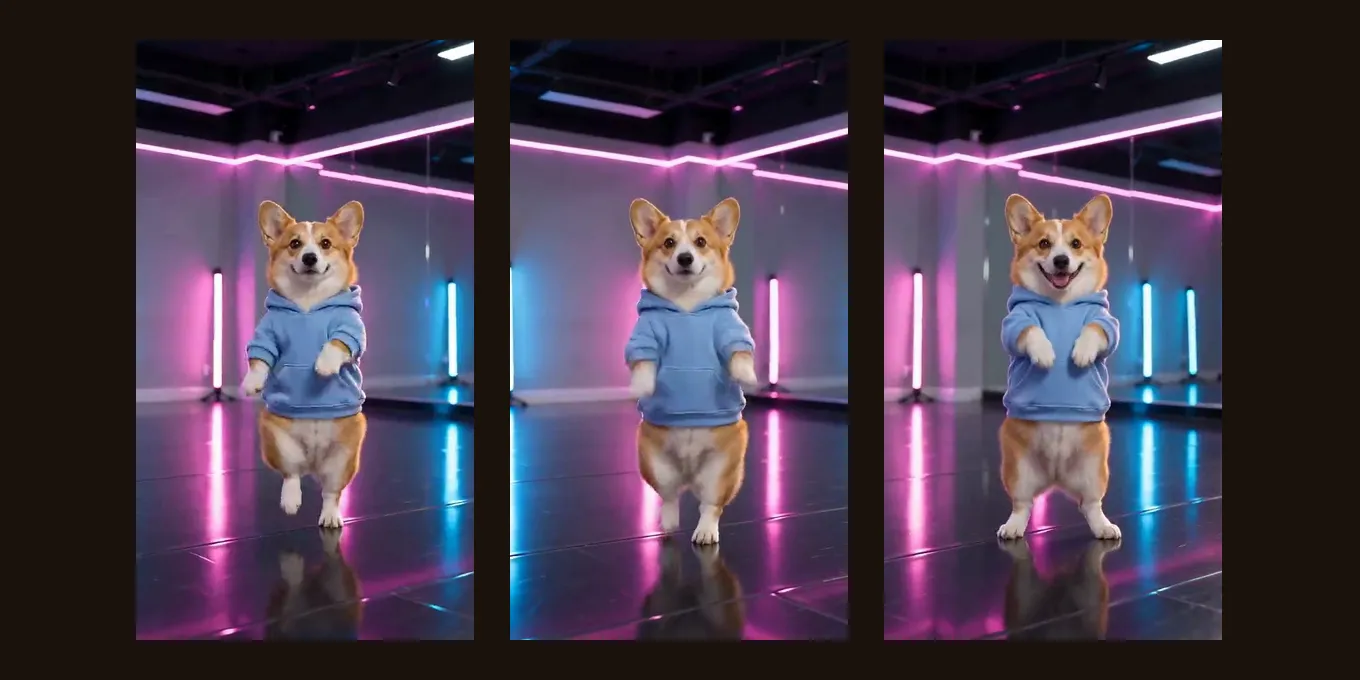
We used an AI-made photo of a corgi standing on its back legs in a blue hoodie, with the Dance effect as the site sends it: Seedance 2.0 Mini, 480p, 5 seconds, 9:16. It took about two minutes. The corgi kept its face, its colors and the hoodie, danced on its back legs with small steps and paw swings, turned halfway and ended facing the camera. It is one render, not a promise for every dog.
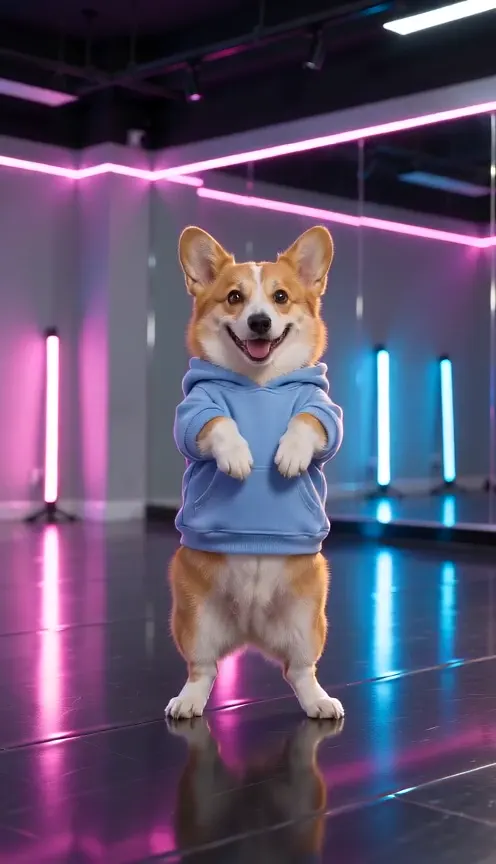
Seedance 2.0 Mini · 480p · 5 s · 9:16
- Product test render, made outside the website with our generation pipeline.
- Audio: music the model wrote for the effect.
- Web preview: 496 × 864, compressed for playback. The settings above describe the original render.
What app makes your dog dance?
| Kind of tool | How it works | Trade-off |
|---|---|---|
| A CapCut dog dance template | You open a template from a post and swap in your dog’s photo. | Fast, but it copies one fixed clip, and commenters say some templates are not available in their country. |
| A motion-copy tool (Higgsfield, Viggle and others) | You give it a dance video and your dog’s photo; it copies the moves. | Follows a real dance closely, but you need the clip and pay per try. |
| An image-to-video app with a prompt | You upload the photo and describe the dance. | Flexible, but you write and retry the prompt yourself. |
| A one-photo effect (this site) | You add the photo and pick Dance; the scene is already written. | No prompt, price on the button, but you cannot choose the dance. |
Dancing dogs are among the most watched AI videos on TikTok. Four of them, credited to their creators:
A fluffy dog in a towel turban dancing in the shower, one of the most watched AI dog dances (10.4M views on TikTok by 17 Oct 2026).by @jonnyslife_ · Watch on TikTok A husky dancing in a kitchen to the “Bad times” trend (932K views).by @gothikzoul · Watch on TikTok A golden retriever dancing on its back legs in a living room (540K views).by @9to5dog · Watch on TikTok Three poodles dancing together, made with Higgsfield, a motion-copy tool (23.8K views).by @dio_louie · Watch on TikTok
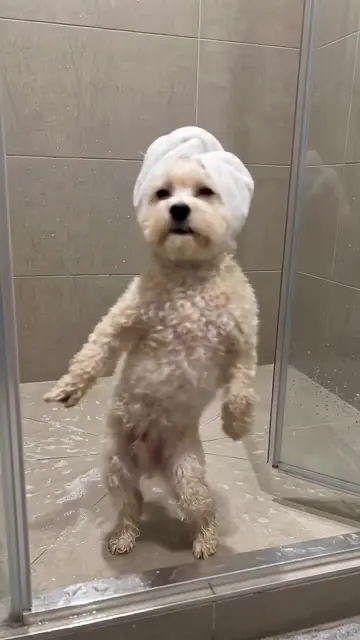
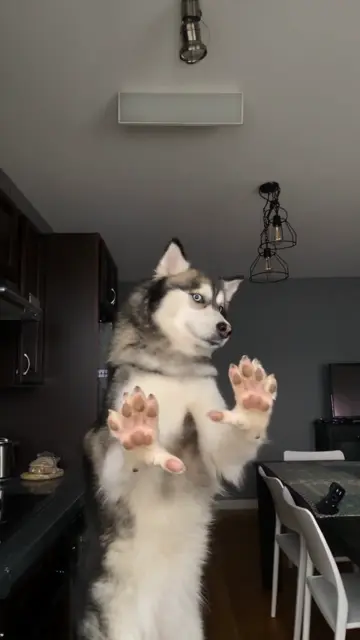
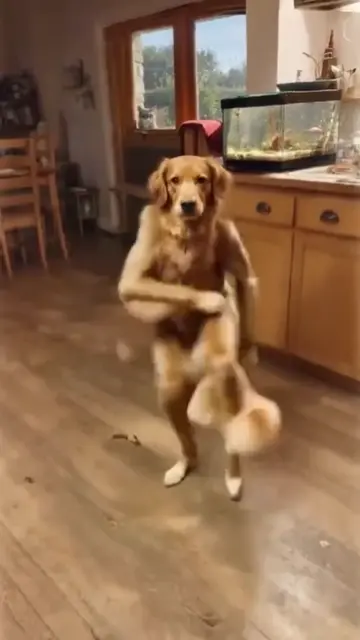
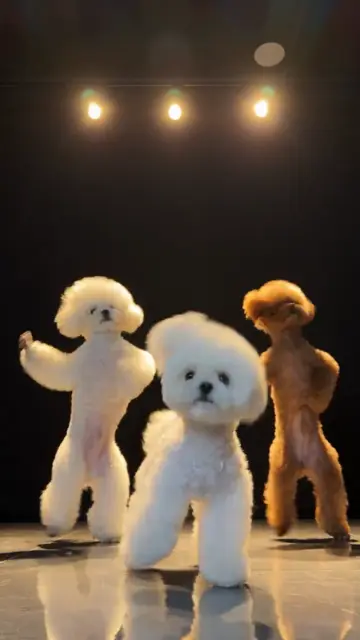
TikTok posts by other creators, shown with credit and linked to the original. Hover to play; sound starts off.
Tips and limits
- Our test photo showed a dog already standing. A dog sitting or lying down is not tested yet.
- Cats and other pets are not tested with this effect.
- With two photos, your dog’s and yours, the effect is meant to show you dancing together, but we have not tested a dog with a person in it. Your dog rapping next to you is tested: pet rap video.
- The music is an original dance track the model writes, not a chart song.
- You cannot pick a TikTok dance. To copy one exactly, use a motion-copy tool with the clip.
- TikTok asks you to turn on its AI-generated label when you post realistic AI video.
Prefer to write your own? The AI dance prompt guide has the exact prompt behind this effect and how to change it for a dog.
FAQ
How do I make my dog dance with AI?
On Hotel Lobby Video (rapaivideo.net) add one clear photo of your dog, choose the Dance effect and tap the button: 5 seconds, 9:16, 4 credits at 720p.
What AI app makes your dog dance?
CapCut templates, motion-copy tools like Higgsfield and photo-to-video apps all can. Hotel Lobby Video does it in the phone browser from one photo, with no app to install.
Can I make my dog dance with AI for free?
Some apps have free tries with limits. Here it is 4 credits for 5 seconds at 720p. There is no free preview.
Will the video still look like my dog?
In our test the corgi kept its face, colors and hoodie. A sharp, well-lit photo of the whole dog gives the model the most to keep.
Can my dog dance with me?
Add a photo of each of you and the effect makes you dance together, but we have not tested a dog with a person in it yet. Rapping together in the Hotel Lobby booth is tested.
Sources
Read next
AI Dance Prompt: The Exact Prompt We Use, With Tips
AI dance prompt: the exact prompt our generator sends for a neon-studio dance, what each line does, how to change it, and our test render
How to Do the AI Dance Trend: CapCut, Apps or One Photo
How to do the AI dance trend on TikTok: a CapCut dance template from a post (the free way, one fixed dance), an app effect, or a one-photo dance clip here, with the steps and how to add the trend’s sound
How to Make a Dog Rap Video With AI (Step by Step)
A step-by-step dog rap video guide: photos that work, how your dog is stood up for the booth, the sound options from the Hotel Lobby track to a bark, and fixes
Hotel Lobby Video is an independent tool, not affiliated with Quavo, Takeoff, Migos, Quality Control Music, Motown or COLORS.